Permissions
Users can be allowed to perform various actions on the site via permissions.
Many permissions refer to a particular resource, for example a file. Resources permission group will typically have four separate permissions. View, create, update and delete.
Lets take file as an example:
- View - Would allow user to preview file contents on the site.
- Create - Would allow user to upload files on the site.
- Update - Would allow user to modify uploaded files.
- Delete - Would allow user to delete uploaded files.
Roles
Roles are special groups that can be attached to multiple users and have permissions. They can be created from admin → roles page.
Users that belong to a specific role will inherit all permissions from that role.
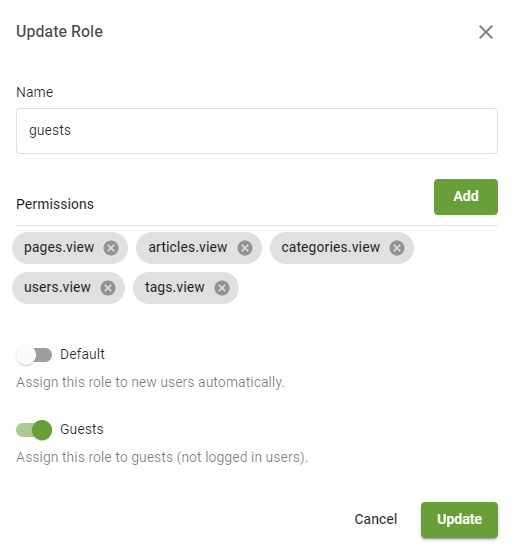
Roles also have two special types:
- Default - Roles marked as default will be automatically attached to all newly registered users.
- Guests - Roles marked as guests will be automatically attached to all non-logged in users.
Attaching permissions to users
Permissions can be attached to users in two ways.
- To a specific user via admin → users page either when creating a new user or editing existing one.
- To a role via admin → roles page. This role then can be attached to user(s) and they will inherit permissions from the role.
